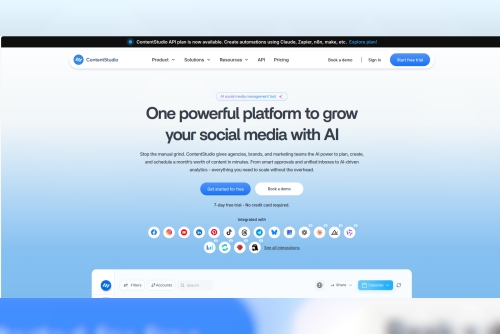
Why I Moved Beyond Buffer to ContentStudio: A More Complete Social Media Management Platform
For a long time, Buffer was exactly what I needed.
I could write a post, select the social networks where I wanted to publish it, choose a time, and move on. The platform was simple, familiar, and easy to use. When my main requirement was straightforward social media scheduling, that simplicity worked perfectly.
But over time, my content workflow changed.
I started publishing more frequently, managing content across more social networks, and spending more time on the tasks that happened before a post was ever scheduled. Eventually, I realized that scheduling was only one part of social media management.
I needed a platform that could support the broader content process, from finding ideas and creating posts to customizing, organizing, and publishing them.
That was when I began looking for a more complete alternative.
When Scheduling Alone Wasn't Enough
My original social media workflow was relatively simple. I was managing content for platforms such as Instagram, Facebook, and LinkedIn, with the main goal of publishing consistently.
Buffer handled that job well.
However, as my workload grew, social media management became more complicated. I needed to research ideas, find relevant content, write captions, adapt posts for different networks, and keep everything organized.
The actual scheduling process was rarely the biggest problem.
The challenge was everything that came before it.
I might discover an idea in one tool, find a relevant article in another, write the caption somewhere else, and then finally move the finished content into Buffer to schedule it.
Each individual step was manageable.
The overall workflow was not.
That was when I began exploring different Buffer alternatives to see whether I could find a platform that brought more of the process together.
What I Was Looking For in a New Platform
I didn't want to switch tools simply because something new was available. Before making a decision, I thought carefully about the weaknesses in my existing workflow.
The ideal platform needed to help with:
Scheduling content across multiple social networks
Adapting content for different platforms
Creating and improving captions more efficiently
Discovering relevant content and trending topics
Reducing the need to constantly switch between applications
Supporting collaboration as the content workload increased
The more I examined my workflow, the more obvious the real issue became.
Scheduling was no longer the most difficult part.
The bigger questions were:
What should I publish next?
How can I make this content more engaging?
Where can I find useful topics and relevant articles?
How can I manage the entire process with fewer disconnected tools?
These questions also led me to explore different agency social media management tools and consider how well they could support more collaborative and content-heavy workflows.
Looking Beyond the Most Obvious Buffer Alternatives
There are plenty of platforms available for anyone searching for Buffer alternatives.
Some focus on keeping things as simple as possible. Others specialize in Instagram, visual content, analytics, team collaboration, or enterprise-level features.
Each platform has its own strengths.
However, I wasn't looking for the tool with the longest list of features. I wanted a platform that could connect more parts of my social media workflow in a practical way.
That was when ContentStudio started to stand out.
Why ContentStudio Seemed Like a Better Fit
ContentStudio wasn't the first platform I considered.
But the more I compared different tools, the more I appreciated the way it brought multiple parts of the social media process into one workflow.
It wasn't just about writing a post and selecting a publishing time. I could create content, customize it for different social networks, improve captions and hashtags, preview posts, and schedule everything through a more connected system.
That made a noticeable difference.
Instead of constantly moving between several different applications, I could handle more of the journey from developing an idea to preparing and scheduling the final post in one place.
For anyone evaluating an agency social media management tool, this type of connected workflow can become especially valuable as content volume and collaboration requirements increase.
Creating Content Was Often Harder Than Scheduling It
One of the biggest things I realized was that scheduling was rarely the most time-consuming part of social media management.
Creating the content was often the real challenge.
Some days, ideas came naturally. On other days, I could spend a considerable amount of time staring at an empty caption box, trying to turn a basic idea into something worth publishing.
This is where ContentStudio's AI writing features became useful.
I wasn't looking for AI to replace my creativity or make every decision for me. I simply wanted assistance when I needed help getting started.
The AI tools could provide an initial direction that I could then edit, refine, and adapt to fit the message I wanted to communicate.
Starting with a draft or idea was much easier than starting from a completely blank page.
That became particularly useful when I had several posts to prepare at the same time.
Discovering Content Ideas Became More Convenient
Content discovery was another part of my workflow that needed improvement.
Finding useful articles, industry news, relevant topics, and interesting content to share can consume more time than people expect.
Previously, I often found myself with multiple browser tabs open while searching for something worth sharing.
A single search might only take a few minutes. But when that process is repeated every day or several times a week, those minutes quickly add up.
Having content discovery tools closer to the planning and publishing workflow made it easier to collect ideas and save potential content for later.
Instead of opening my scheduling tool and immediately asking myself what I should post, I could gradually build a collection of ideas and topics to use in the future.
That made content planning feel much more proactive.
Collaboration Became More Important as the Workflow Expanded
As my content workload increased, collaboration also became a bigger consideration.
A social media workflow may begin with one person. But eventually, you may need help from a freelancer, virtual assistant, writer, designer, or another marketing team member.
At that point, collaboration features become much more important.
I wanted a platform that could support additional people without making the workflow unnecessarily complicated.
Cost was also an important factor, especially for smaller teams.
ContentStudio felt better suited to a workflow that could grow over time. I could improve the process and involve additional collaborators without every new person creating a significant increase in software costs.
The Transition Was Easier Than I Expected
Switching platforms can sound more complicated than it actually is.
I expected the process to involve extensive setup, a steep learning curve, and a significant amount of time rebuilding my existing workflow.
In reality, the transition was relatively straightforward.
After connecting the necessary social accounts and organizing my content, I was able to begin using the main publishing features without spending days trying to understand the platform.
The interface also helped make the transition easier.
I didn't feel like I needed to complete hours of tutorials before I could perform basic tasks.
Of course, every platform has its own features and processes to learn. But the learning curve was manageable enough that moving away from Buffer didn't feel like a major project.
The Biggest Change Was Having a More Connected Workflow
The most important improvement wasn't a single feature.
It was the way different parts of the workflow connected together.
Content discovery.
Caption creation.
Platform-specific customization.
Content planning.
Scheduling.
Publishing.
These activities no longer felt as disconnected as they had previously.
I spent less time moving information from one application to another and less time manually organizing ideas.
The time savings didn't come from one dramatic change.
Instead, they came from many smaller improvements:
Spending less time trying to begin captions
Finding content ideas more efficiently
Reducing unnecessary steps when preparing posts
Organizing future content more effectively
Managing more of the process through one platform
Each improvement may seem minor on its own.
Together, they made the entire workflow feel significantly more efficient.
Buffer Wasn't a Bad Platform—My Workflow Had Changed
I don't believe Buffer is necessarily the wrong choice for everyone.
For users who mainly need a straightforward and reliable scheduling tool, its simple approach can still be a major advantage.
The problem wasn't that Buffer suddenly stopped working.
My needs had simply evolved.
When I first started using Buffer, I mainly needed a place to schedule social media posts. Over time, I needed more help with content creation, content discovery, platform-specific customization, collaboration, and managing the broader content workflow.
That was when I realized I had outgrown the workflow that had originally made Buffer such a good fit for me.
I didn't switch because Buffer was a bad platform.
I switched because I needed more from my social media management software.
ContentStudio offered a better balance between content creation, discovery, multi-platform management, collaboration, and scheduling.
Ultimately, the decision wasn't about choosing the platform with the most features.
It was about finding a tool that better matched the way I wanted to manage social media.
Sometimes, your current tool isn't necessarily bad.
Your workflow has simply changed.
And when that happens, exploring different Buffer alternatives can help you find a platform that is better suited to where your content strategy is going next.
Read more articles:
https://issuu.com/alyanapatrick/docs/why_buffer_s_removed_features_finally_made_me_leav
https://medium.com/@kristyjames1/the-hootsuite-dashboard-fatigue-that-made-me-switch-cf6f051e7053